• Click "expand" until you have expanded all nested comments.
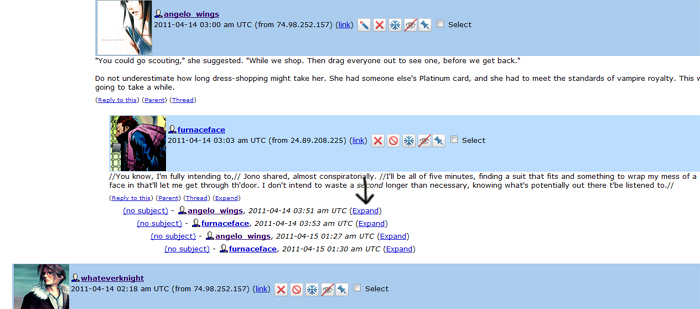
• Scroll up to the top of the comments section. Begin highlighting text at the words "(Read [NUMBER] Comments) - (Leave a Comment)" and finish highlighting at those same repeated words, at the bottom.
• Right-click somewhere in the highlighted area to get a menu. Select "View Selection Source." This will open a new window, one which looks like it is filled with gibberish. Most of the text should already be highlighted.
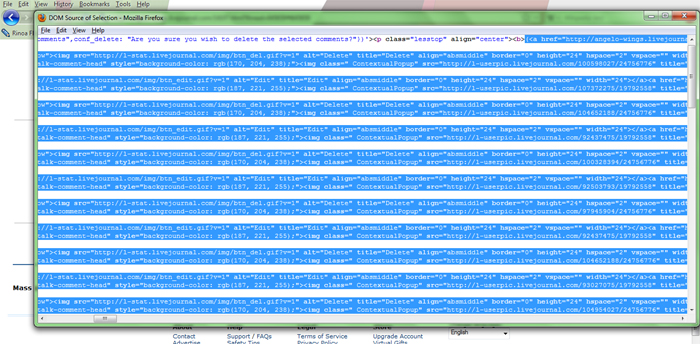
• In that window, use Control-C on your keyboard in order to copy, or else select Edit → Copy from that window's menu.
• Now: go to the Code Generator. Using either Control-V or Edit → Paste, paste that text into the "Input" area.
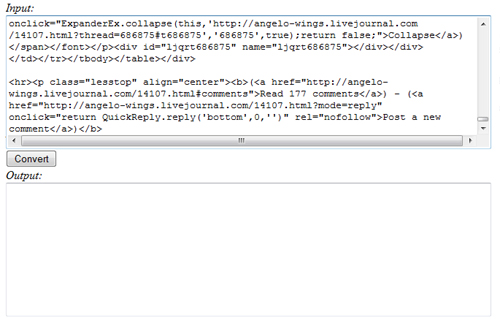
• Click the "Convert" button.
Note: What comes out of the text generator will be mostly completed code. OOC notes will need to be removed manually. If people have pinged out of order, you will need to correct that, as well. Lastly, it pulls names for the table from the names entered on LJ's profile page, so you may wish to search and replace to change things like "Jonothon Starsmore" to "Jono."